
仰望星空
地球以外的星空很灿烂,当我困在焦虑里的时候,偶尔去仰望星空,或许感觉一切都是杞人忧天。
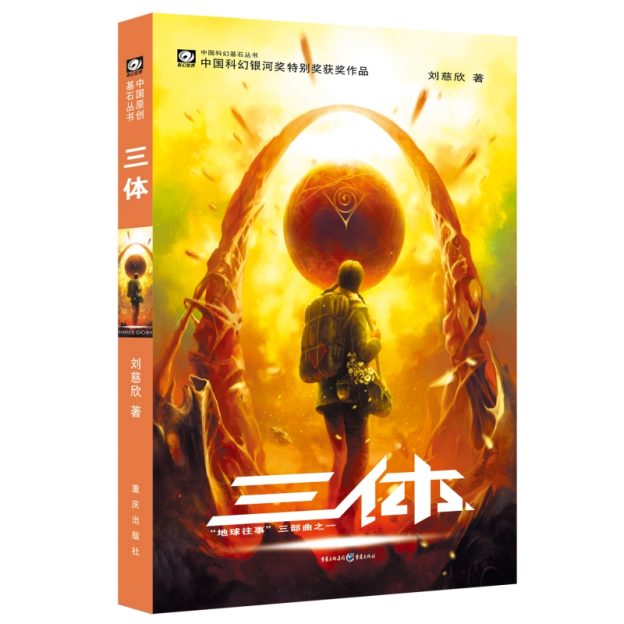 前两天,我终于把刘慈欣的科幻小说《三体》看完了,三本书,大部头,鸿篇巨制;好久没看这样长篇的小说了,断断续续,每天看一点,最后累计花了6个多小时。
书虽然看完了,不过书里包含的内容和思想太庞大了,我没有能力写出一篇思路清晰书评,表达我看完这本书的感受。这里只是简单说说我的几点思考。
1、人类命运应该交由谁来决定?少数人?多数人共识?我们每一个自我?这是一个比较宏大的社会哲学问题。每个人的选择都可能不一样,罗辑有罗辑的选择,程心有程心的犹豫,叶文洁有叶文洁的执念,作为一个个体的人是否有权利代替人类来做决定?如何避免像叶文洁这样掌握着决定地球未来的科学妄人,因为自己的怨念毁了人类的未来?
2、刘慈欣用极其丰富的想象,描绘了人类的未来,但无论科技如何发展,人性本质并......
[阅读全文]
前两天,我终于把刘慈欣的科幻小说《三体》看完了,三本书,大部头,鸿篇巨制;好久没看这样长篇的小说了,断断续续,每天看一点,最后累计花了6个多小时。
书虽然看完了,不过书里包含的内容和思想太庞大了,我没有能力写出一篇思路清晰书评,表达我看完这本书的感受。这里只是简单说说我的几点思考。
1、人类命运应该交由谁来决定?少数人?多数人共识?我们每一个自我?这是一个比较宏大的社会哲学问题。每个人的选择都可能不一样,罗辑有罗辑的选择,程心有程心的犹豫,叶文洁有叶文洁的执念,作为一个个体的人是否有权利代替人类来做决定?如何避免像叶文洁这样掌握着决定地球未来的科学妄人,因为自己的怨念毁了人类的未来?
2、刘慈欣用极其丰富的想象,描绘了人类的未来,但无论科技如何发展,人性本质并......
[阅读全文]
 今日,微慕小程序开源版V4.6版发布,自去年2月4日发布V4.0版以来,开源版完善和优化一直在持续。
一、微慕小程序开源版V4.6版更新说明
本次更新主要针对近期微信对于小程序用户头像昵称获取规则调整,核心调整是小程序 wx.getUserProfile 与插件 wx.getUserInfo 接口无法获取微信用的用户昵称和头像了,至此这两个接口目前只能获取openId、unionId了。
对于小程序来说需要通过“头像昵称填写能力”。具体......
今日,微慕小程序开源版V4.6版发布,自去年2月4日发布V4.0版以来,开源版完善和优化一直在持续。
一、微慕小程序开源版V4.6版更新说明
本次更新主要针对近期微信对于小程序用户头像昵称获取规则调整,核心调整是小程序 wx.getUserProfile 与插件 wx.getUserInfo 接口无法获取微信用的用户昵称和头像了,至此这两个接口目前只能获取openId、unionId了。
对于小程序来说需要通过“头像昵称填写能力”。具体......
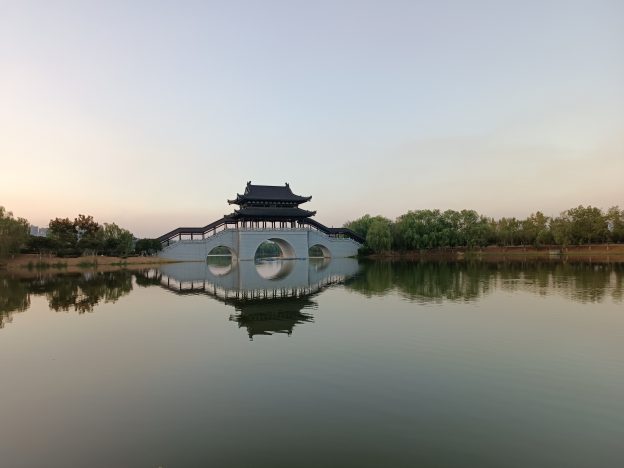 今天是“守望轩”网站创建20年的日子。
如今的互联网仿佛都在朝着web3的方向疾驰,“守望轩”这个诞生在web1.0时代的网站,看上去那么安静而不合时宜。互联网已不再像当年那么开放而自由,很多人,包括我,都沉浸和束缚在一个个巨大的手机APP里,比如微信、抖音。短视频的快感,越来越多的人已没有耐心读一段段的文字了,无论这文字是在书里,还是网络上,这是否是一种进步,或者是退化,都不好说,趋势无法逆转了。
“守望轩”对我个人来说,是我对这个世界的一点记录,是我和这个世界交流的小窗。
这20年来,通过网络和网站认识很多的朋友,很少的朋友依然在交流,但大多失去了消息,消失在茫茫人海。
人生匆匆过,我今年都四十八岁。在IT行业也打拼22年了。我这40年,运气不错,搭上了中国高速发展的时代列车,以至......
今天是“守望轩”网站创建20年的日子。
如今的互联网仿佛都在朝着web3的方向疾驰,“守望轩”这个诞生在web1.0时代的网站,看上去那么安静而不合时宜。互联网已不再像当年那么开放而自由,很多人,包括我,都沉浸和束缚在一个个巨大的手机APP里,比如微信、抖音。短视频的快感,越来越多的人已没有耐心读一段段的文字了,无论这文字是在书里,还是网络上,这是否是一种进步,或者是退化,都不好说,趋势无法逆转了。
“守望轩”对我个人来说,是我对这个世界的一点记录,是我和这个世界交流的小窗。
这20年来,通过网络和网站认识很多的朋友,很少的朋友依然在交流,但大多失去了消息,消失在茫茫人海。
人生匆匆过,我今年都四十八岁。在IT行业也打拼22年了。我这40年,运气不错,搭上了中国高速发展的时代列车,以至......
 你是否这样一种困扰: 长期处于某种的状态无法自拔,比如长期的拖延;比如做什么都没激情长期躺平,但内心又充满焦虑;比如害怕社交,总喜欢躲在某个安静的角落.... 仿佛进入了某种死循环里,走不出来,苦苦挣扎,却又没勇气迈出第一步,那这本心理学家李松蔚写的《5%的改变》或许可以给你一些启发和帮助。
在得到APP里我听过李松蔚老师的课程《跟李松蔚学心理咨询》,我学习这个课程初衷并不是想成为一名心理咨询师,只是想通过这个课程去了解,站在一个咨询师的角度去了解心理学:心理咨询师是如何思考的?心理咨询师是如何帮助来访者的? 通过这......
你是否这样一种困扰: 长期处于某种的状态无法自拔,比如长期的拖延;比如做什么都没激情长期躺平,但内心又充满焦虑;比如害怕社交,总喜欢躲在某个安静的角落.... 仿佛进入了某种死循环里,走不出来,苦苦挣扎,却又没勇气迈出第一步,那这本心理学家李松蔚写的《5%的改变》或许可以给你一些启发和帮助。
在得到APP里我听过李松蔚老师的课程《跟李松蔚学心理咨询》,我学习这个课程初衷并不是想成为一名心理咨询师,只是想通过这个课程去了解,站在一个咨询师的角度去了解心理学:心理咨询师是如何思考的?心理咨询师是如何帮助来访者的? 通过这......
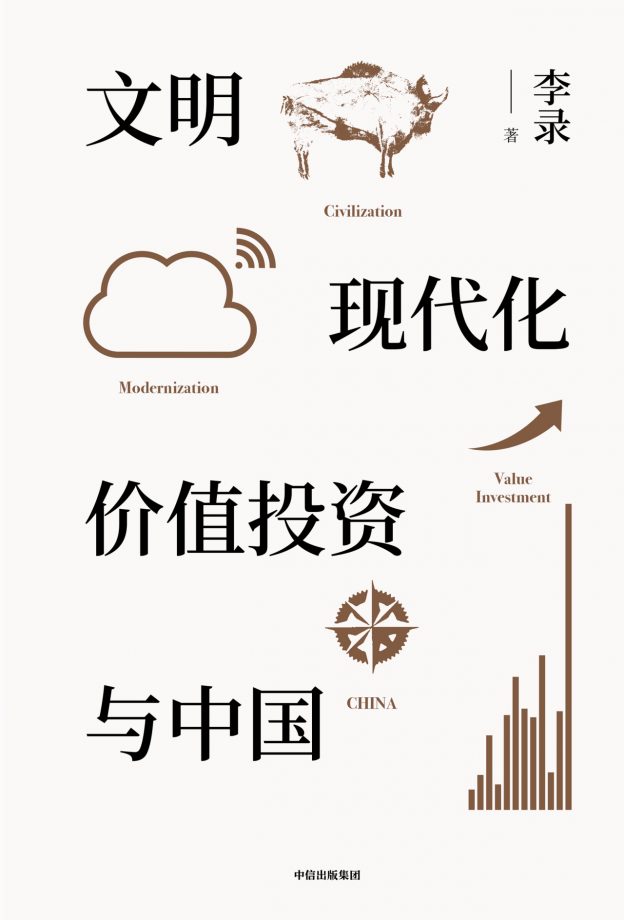 刚刚看完著名投资人李录先生的《文明、现代化、价值投资与中国》。本书分为上下两部分,上部分主要论述有关文明、现代化和中国,第二部分是讲述对于现在及将来如何在中国进行价值投资。
对于上篇的部分是作者对于人类文明和现代化发展的思考,作者把人类的文明史分成了三个阶段:狩猎采集文明(1.0版)、农业文明(2.0版)和科技文明(3.0版) ;而目前的中国处于农业文明和科技文明的中间状态(2.5版本)。虽然这样的划分有些简单化,不过也算是比较简约的概括,不会陷入过于琐碎的历史和文明的细节里,从宏观的角度上说清楚了文明的历史脉络。
对于下篇讲述价值投资与中国,我个人觉得是最值得一读的......
刚刚看完著名投资人李录先生的《文明、现代化、价值投资与中国》。本书分为上下两部分,上部分主要论述有关文明、现代化和中国,第二部分是讲述对于现在及将来如何在中国进行价值投资。
对于上篇的部分是作者对于人类文明和现代化发展的思考,作者把人类的文明史分成了三个阶段:狩猎采集文明(1.0版)、农业文明(2.0版)和科技文明(3.0版) ;而目前的中国处于农业文明和科技文明的中间状态(2.5版本)。虽然这样的划分有些简单化,不过也算是比较简约的概括,不会陷入过于琐碎的历史和文明的细节里,从宏观的角度上说清楚了文明的历史脉络。
对于下篇讲述价值投资与中国,我个人觉得是最值得一读的......
 日本脑科学研究者池谷裕二这本《考试脑科学》主要探讨记忆的规律和方法。本书最早的版本叫《高中生学习法》,然后不断修订,在日本畅销十余年。科学地记忆对学业考试来说有很大的意义。虽然是有关记忆的科普书,但读起来并不乏味,作者用幽默风趣的语言阐述了大脑的运作和记忆的原理。
1.如何才能够记住所学的知识呢?
这恐怕是困扰很多学生的问题。记忆分短期和长期,大脑的海马体负责审核信息从短期记忆库进入长期记忆库。
海马体的审查标准是“该信息对生存而言,是否不可或缺”
但我们的大脑不擅长“记忆”,更擅长“忘......
日本脑科学研究者池谷裕二这本《考试脑科学》主要探讨记忆的规律和方法。本书最早的版本叫《高中生学习法》,然后不断修订,在日本畅销十余年。科学地记忆对学业考试来说有很大的意义。虽然是有关记忆的科普书,但读起来并不乏味,作者用幽默风趣的语言阐述了大脑的运作和记忆的原理。
1.如何才能够记住所学的知识呢?
这恐怕是困扰很多学生的问题。记忆分短期和长期,大脑的海马体负责审核信息从短期记忆库进入长期记忆库。
海马体的审查标准是“该信息对生存而言,是否不可或缺”
但我们的大脑不擅长“记忆”,更擅长“忘......
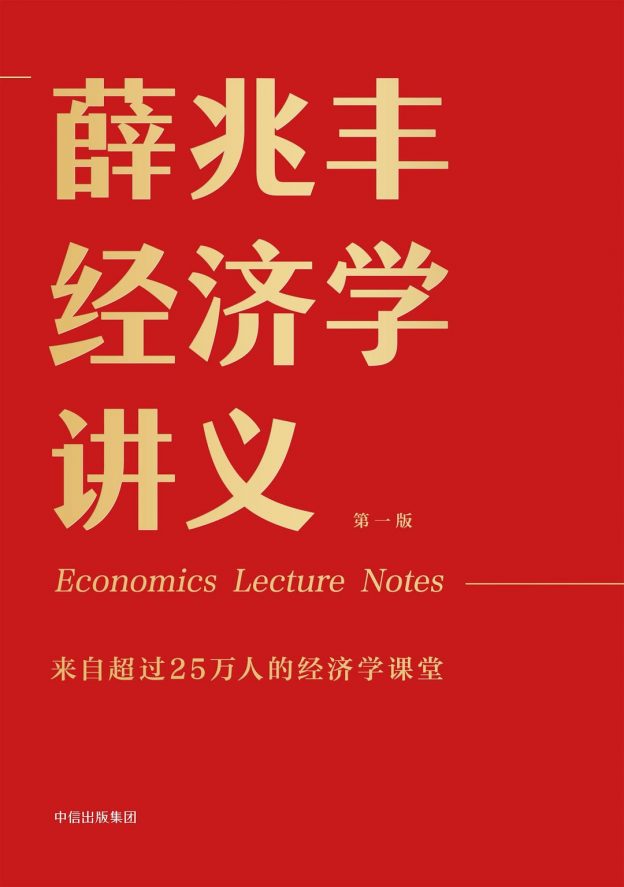 如果让我推荐一本经济学入门的书籍,我推荐这本《薛兆丰经济学讲义》,从这本书里你可以看到经济学的智慧,你可以感受到经济学思维的乐趣。
在看这本《薛兆丰经济学讲义》之前,我从来没有系统而全面了解过有关经济学的知识,总觉得经济学作为一门学科似乎离我的生活很远,其实不然,我每天一睁开眼睛,就开始和“经济”打交道了,“经济”已全方位地渗透在周遭生活每一个角落。
虽然这本讲义是本500多页的大部头,不过读起来并不枯燥,薛兆丰老师把经济学的原理讲得通俗有趣而又不失专业性。用生动的案例来解释每个经济学知识点原理;甚至都不拘泥某一派经济学理论,反而把各家学派的观点都摆出来,一一分析,从各个经济学派的视角来分析一个经济问题......
如果让我推荐一本经济学入门的书籍,我推荐这本《薛兆丰经济学讲义》,从这本书里你可以看到经济学的智慧,你可以感受到经济学思维的乐趣。
在看这本《薛兆丰经济学讲义》之前,我从来没有系统而全面了解过有关经济学的知识,总觉得经济学作为一门学科似乎离我的生活很远,其实不然,我每天一睁开眼睛,就开始和“经济”打交道了,“经济”已全方位地渗透在周遭生活每一个角落。
虽然这本讲义是本500多页的大部头,不过读起来并不枯燥,薛兆丰老师把经济学的原理讲得通俗有趣而又不失专业性。用生动的案例来解释每个经济学知识点原理;甚至都不拘泥某一派经济学理论,反而把各家学派的观点都摆出来,一一分析,从各个经济学派的视角来分析一个经济问题......
 这个周末,终于把剧集《胆小鬼》看完了,四个少年的命运,让人感觉压抑和难受。
整个看剧的过程,我的头脑里始终回荡的一句话,就是鲁迅先生说的:真正的悲剧,是把美好的东西撕碎给人看。美丽的少女,纯真的友情,真挚的兄弟情...那么多美好,都被残酷的命运一一撕碎,美好在丑陋面前仿佛不堪一击。爱人受辱自杀,朋友诬陷背叛,老师失德的栽赃,亲人被警察误杀,一桩桩,一件件,把男主的人生推向了无比的黑暗。他不是胆小鬼,他用坚强的意志,用10年的时间为爱人报仇。
金钱,利益,享乐,现实,让剧中那么多人变成了“胆小鬼”,胆小鬼包括朋友,朋友的父母,老师,教导主任,警察,仿佛每个人都有自己的“无奈”,这就是人性吧。如果......
这个周末,终于把剧集《胆小鬼》看完了,四个少年的命运,让人感觉压抑和难受。
整个看剧的过程,我的头脑里始终回荡的一句话,就是鲁迅先生说的:真正的悲剧,是把美好的东西撕碎给人看。美丽的少女,纯真的友情,真挚的兄弟情...那么多美好,都被残酷的命运一一撕碎,美好在丑陋面前仿佛不堪一击。爱人受辱自杀,朋友诬陷背叛,老师失德的栽赃,亲人被警察误杀,一桩桩,一件件,把男主的人生推向了无比的黑暗。他不是胆小鬼,他用坚强的意志,用10年的时间为爱人报仇。
金钱,利益,享乐,现实,让剧中那么多人变成了“胆小鬼”,胆小鬼包括朋友,朋友的父母,老师,教导主任,警察,仿佛每个人都有自己的“无奈”,这就是人性吧。如果......
 近期微慕团队推出了一个wordprss插件:视频号主页。此插件可以在微慕小程序里展示视频号的活动、直播预约及视频号视频,并支持在文章中插入短代码跳转视频号主页、视频、直播及活动。此插件同时支持微慕小程序的所有版本。
插件的下载地址:https://shops.minapper.com/2192.html
1.支持加入短代码跳转视频号:
【minapperchannelsactivity channelsid="视频号id,以“sph”开头的id" channelstitle="视频号名称" channelslogo="视频号logo图片" feedtitle="视频标题" feedcover ="视频封面" feedid="视频id" /】
视频号主页显示效果如下:
[minapperchannels channelsid="sph6d2Mz8dHxcws" c......
近期微慕团队推出了一个wordprss插件:视频号主页。此插件可以在微慕小程序里展示视频号的活动、直播预约及视频号视频,并支持在文章中插入短代码跳转视频号主页、视频、直播及活动。此插件同时支持微慕小程序的所有版本。
插件的下载地址:https://shops.minapper.com/2192.html
1.支持加入短代码跳转视频号:
【minapperchannelsactivity channelsid="视频号id,以“sph”开头的id" channelstitle="视频号名称" channelslogo="视频号logo图片" feedtitle="视频标题" feedcover ="视频封面" feedid="视频id" /】
视频号主页显示效果如下:
[minapperchannels channelsid="sph6d2Mz8dHxcws" c......
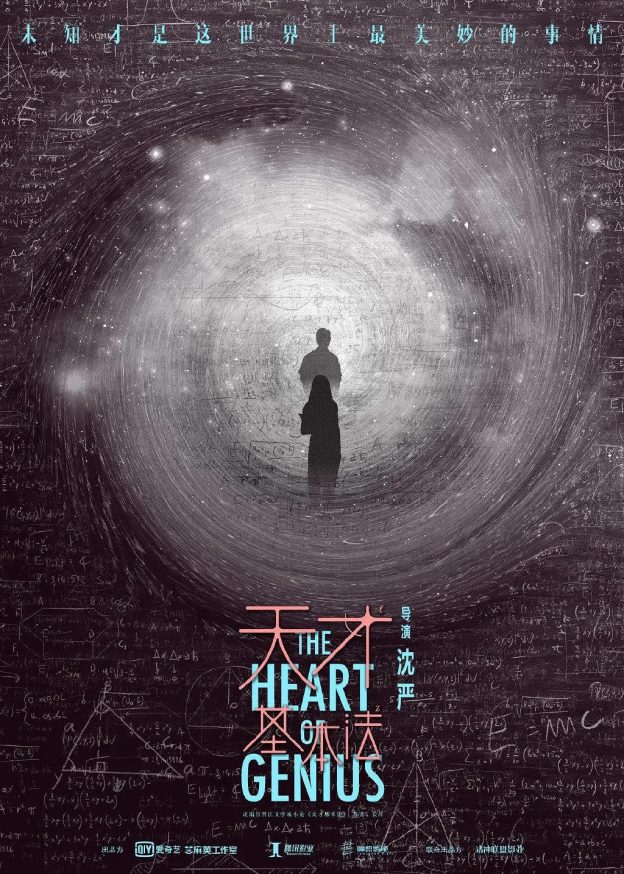 最近和女儿一起看一个剧集《天才基本法》,剧情倒并复杂,不过剧情里加入了穿越到过去的设定,让故事变的跌宕起伏;因为是讲述父女亲情故事,适合爸爸和女儿闲着无聊的时候看看,挺有意思的。
我对时间穿越(旅行)的电视或电影有种偏爱,特别回到过去改变(拯救)现实的剧情。比如我最推崇的一部是台湾的电视剧《想见你》,虽然是爱情文艺片,不过借用了时光穿越的模式把故事演绎的十分精彩,而且在故事逻辑也设计得很自恰,几乎没有逻辑上的问题。三个人不同时间穿越到过去,且情节上又能让这几个人的穿越故事给串起来。这部剧是我看过的所有穿越剧里设计最精巧和合理的。
如果你对穿越剧感兴趣,我这里推荐几部:
1、如果你喜欢恐怖点的,推荐《恐怖游轮》,进入无限循环里,永远无法摆脱。
2、喜欢悬疑时空穿......
最近和女儿一起看一个剧集《天才基本法》,剧情倒并复杂,不过剧情里加入了穿越到过去的设定,让故事变的跌宕起伏;因为是讲述父女亲情故事,适合爸爸和女儿闲着无聊的时候看看,挺有意思的。
我对时间穿越(旅行)的电视或电影有种偏爱,特别回到过去改变(拯救)现实的剧情。比如我最推崇的一部是台湾的电视剧《想见你》,虽然是爱情文艺片,不过借用了时光穿越的模式把故事演绎的十分精彩,而且在故事逻辑也设计得很自恰,几乎没有逻辑上的问题。三个人不同时间穿越到过去,且情节上又能让这几个人的穿越故事给串起来。这部剧是我看过的所有穿越剧里设计最精巧和合理的。
如果你对穿越剧感兴趣,我这里推荐几部:
1、如果你喜欢恐怖点的,推荐《恐怖游轮》,进入无限循环里,永远无法摆脱。
2、喜欢悬疑时空穿......
 最近看完连岳写的两本少年读者问答集《少年问答》,感觉挺有意思,给我不少的启发。从一年级的儿童,到大学毕业的学子,各有各的烦恼,对于这些烦恼,连岳先生的回答很接地气,直截了当,不讲大道理,就直接给出他的解决方案,方法可能不见得适合所有少年,不过大方向和思路值得借鉴。
成绩不好一点也不酷。大多数成绩不理想的孩子,大多数生活不理想的人,都有相似的三部曲:放纵、懊悔、放纵
学习成绩,是所有孩子都关注的问题,哪怕是成绩差的孩子,也是很在意学习成绩的,哪怕表面上看上去他们表现得无所谓,绝大多数的孩子都希望自己的学习成绩可以好一点。除了少数的天才,绝大多数学习成绩好的孩子,都是自我管理做得还不错的孩子,并能按照学校的教学安排来学习,该预习预习,该上课上课......
最近看完连岳写的两本少年读者问答集《少年问答》,感觉挺有意思,给我不少的启发。从一年级的儿童,到大学毕业的学子,各有各的烦恼,对于这些烦恼,连岳先生的回答很接地气,直截了当,不讲大道理,就直接给出他的解决方案,方法可能不见得适合所有少年,不过大方向和思路值得借鉴。
成绩不好一点也不酷。大多数成绩不理想的孩子,大多数生活不理想的人,都有相似的三部曲:放纵、懊悔、放纵
学习成绩,是所有孩子都关注的问题,哪怕是成绩差的孩子,也是很在意学习成绩的,哪怕表面上看上去他们表现得无所谓,绝大多数的孩子都希望自己的学习成绩可以好一点。除了少数的天才,绝大多数学习成绩好的孩子,都是自我管理做得还不错的孩子,并能按照学校的教学安排来学习,该预习预习,该上课上课......
 昨晚的超级月亮,你关注了没?
我仿佛有很久没有关注月亮了,她时常出现在天际,静静地,淡淡的,一点也不张扬,昨晚可能她比较耀眼的时刻。
白月光,慢跑,微风,此情景,小确幸。
跑步的时候,听书里解读的是加缪的《西西弗神话》,这位伟大的法国哲学家和文学家认为:人生是荒谬的,人与这个世界关系是荒谬的。因为人渴望获得世界的完整认识,而世界必然挫败人的这种渴望。我们希望人生是有意义的,但到头来却发现人生是一场空,一种虚无,这个就是荒谬所在。
加缪觉得人在面对人生荒谬会有三个选择,但三种选择都不是面对荒谬,而是逃避荒谬:
1.借助宗教的信仰,是哲学意义上的自杀。
2.给自己的人生设定某种意义,是一种变相的自杀。
3.主动结束荒谬的人生(自杀),是荒谬战胜了人生。
那么面对人生......
昨晚的超级月亮,你关注了没?
我仿佛有很久没有关注月亮了,她时常出现在天际,静静地,淡淡的,一点也不张扬,昨晚可能她比较耀眼的时刻。
白月光,慢跑,微风,此情景,小确幸。
跑步的时候,听书里解读的是加缪的《西西弗神话》,这位伟大的法国哲学家和文学家认为:人生是荒谬的,人与这个世界关系是荒谬的。因为人渴望获得世界的完整认识,而世界必然挫败人的这种渴望。我们希望人生是有意义的,但到头来却发现人生是一场空,一种虚无,这个就是荒谬所在。
加缪觉得人在面对人生荒谬会有三个选择,但三种选择都不是面对荒谬,而是逃避荒谬:
1.借助宗教的信仰,是哲学意义上的自杀。
2.给自己的人生设定某种意义,是一种变相的自杀。
3.主动结束荒谬的人生(自杀),是荒谬战胜了人生。
那么面对人生......
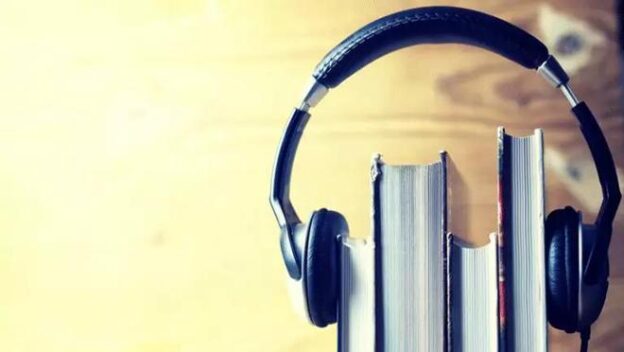 在得到APP上订阅了两年的听书栏目,在我看来是一项很有价值的投入。
从去年2021年9月初开始,截止到今天(2022年7月1日)我一共听了1126本书。书籍涉及科技、科幻、社会、职业发展、文化、历史,甚至宗教,五花八门。有些书,可能在我有生之年,没有时间去读,或一辈子没机会遇到,但我通过这个方式我知道一本书在哪里,曾经存在过,我轻轻地简单“翻阅”过它。
目前得到APP听书,是有人把书的精华内容或读书感想写出来后读出来。听完一本书后,大致了解书的内容,如果想深入了解,就去下单买一本全书看看,不啻为一种选书的方法。
未来,书被全文读出来,供人听读,这种听书的方式会不会成为一种比较流行“阅读”的方式,值得我期待。比如在等人的时候,比如在忙家务,在劳动的时候,在开车的时候,在所有一心可以两用......
在得到APP上订阅了两年的听书栏目,在我看来是一项很有价值的投入。
从去年2021年9月初开始,截止到今天(2022年7月1日)我一共听了1126本书。书籍涉及科技、科幻、社会、职业发展、文化、历史,甚至宗教,五花八门。有些书,可能在我有生之年,没有时间去读,或一辈子没机会遇到,但我通过这个方式我知道一本书在哪里,曾经存在过,我轻轻地简单“翻阅”过它。
目前得到APP听书,是有人把书的精华内容或读书感想写出来后读出来。听完一本书后,大致了解书的内容,如果想深入了解,就去下单买一本全书看看,不啻为一种选书的方法。
未来,书被全文读出来,供人听读,这种听书的方式会不会成为一种比较流行“阅读”的方式,值得我期待。比如在等人的时候,比如在忙家务,在劳动的时候,在开车的时候,在所有一心可以两用......
 早上上班路上,在车里,在得到APP里听书,刘慈欣的科幻小说《球状闪电》。虽然是一个科幻的故事,缺蕴含了一个有点宗教意味的问题:我们心爱的人在离世后去了哪里? 作者的回答是:量子幽灵。这是一个科学和宗教结合的解释,有点意思。我们每一个人的生命的最后不就是分解成原子、分子啥的。
著名的纪录片导演刘效礼先生,曾经说过一句伤感的话,他说:“人的一生,就是所爱之人,不断离去的过程。”
听书有这样一段话,让我有些动容。告别,是人生的一个主题,最后我们都会和这个世界告别。
在连岳的文章里看到这样一句话:
人这一生,必然经历父母向我们告别,我们向孩子告别。越是相爱,告别越痛。这个痛其实是命令,让我们永远记住:为了所爱的人,我们只能过好一生,别无选择......
早上上班路上,在车里,在得到APP里听书,刘慈欣的科幻小说《球状闪电》。虽然是一个科幻的故事,缺蕴含了一个有点宗教意味的问题:我们心爱的人在离世后去了哪里? 作者的回答是:量子幽灵。这是一个科学和宗教结合的解释,有点意思。我们每一个人的生命的最后不就是分解成原子、分子啥的。
著名的纪录片导演刘效礼先生,曾经说过一句伤感的话,他说:“人的一生,就是所爱之人,不断离去的过程。”
听书有这样一段话,让我有些动容。告别,是人生的一个主题,最后我们都会和这个世界告别。
在连岳的文章里看到这样一句话:
人这一生,必然经历父母向我们告别,我们向孩子告别。越是相爱,告别越痛。这个痛其实是命令,让我们永远记住:为了所爱的人,我们只能过好一生,别无选择......